Best Flip Clock Setups for Productivity
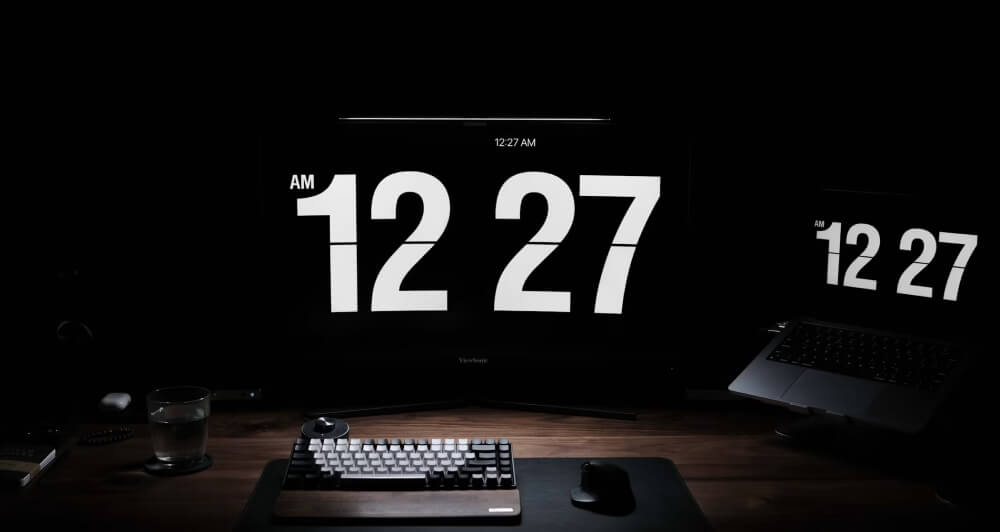
Have you ever checked the time on your phone and somehow ended up scrolling social media for ten minutes?
You’re not alone.
Many productivity experts recommend using a dedicated clock instead of relying on phones or computer notifications to stay aware of time. A flip clock is particularly effective because it combines excellent visibility with a clean, distraction-free design.
Whether you’re working from home, studying for exams, coding, writing, or managing meetings, the right flip clock setup can help you stay focused while adding a stylish touch to your workspace.
In this guide, we’ll explore some of the best flip clock setups for productivity and how to create a workspace that encourages deep focus and better time management.
Why a Flip Clock Can Improve Productivity
Before diving into specific setups, it’s worth understanding why flip clocks are so popular among productivity enthusiasts.
Unlike smartphones, a flip clock serves a single purpose: displaying the time.
This means:
- No notifications
- No social media distractions
- No incoming messages
- No temptation to check email
A quick glance tells you everything you need to know without pulling your attention away from your work.
“What gets measured gets managed.” — Peter Drucker
While Drucker wasn’t talking about flip clocks specifically, the principle applies perfectly. Being aware of time helps you manage it more effectively.
Setup #1: The Minimalist Home Office
The minimalist setup is ideal for remote workers, writers, developers, and designers who want a clean and distraction-free workspace.
What You’ll Need
- A primary monitor
- A comfortable desk
- A clean desktop environment
- A fullscreen flip clock displayed on a secondary screen or tablet
Why It Works
A large flip clock display keeps time visible without cluttering your workspace.
Many professionals place the clock slightly off-center so it remains visible but doesn’t compete for attention with active work.
This setup works particularly well for:
- Deep work sessions
- Writing
- Programming
- Graphic design
- Research tasks
Setup #2: The Dual Monitor Productivity Station
Dual monitors are common among professionals, but many people leave their second display underutilized.
One of the most effective uses for a secondary screen is displaying a fullscreen flip clock.
Recommended Layout
- Primary monitor: Work applications
- Secondary monitor: Flip clock, calendar, or task list
A large digital clock helps maintain awareness of passing time without constantly switching tabs.
Extra Tip
Use a fullscreen clock on the second display during focus sessions. The large numbers make it easy to track work intervals from anywhere in the room.
This setup is especially popular among:
- Software developers
- Stock traders
- Content creators
- Project managers
- Customer support teams
Setup #3: The Pomodoro Workstation
The Pomodoro Technique remains one of the most popular productivity methods.
The process is simple:
- Work for 25 minutes.
- Take a 5-minute break.
- Repeat four times.
- Take a longer break.
A flip clock pairs naturally with this workflow because it makes time progression feel more visible.
Why Flip Clocks Work Well with Pomodoro
Traditional countdown timers can create anxiety because they constantly tick downward.
Flip clocks provide a calmer experience by simply displaying the current time while still helping you monitor your work blocks.
Many users find this less stressful while remaining equally effective.
Setup #4: The Student Study Desk
Students often struggle with maintaining focus during long study sessions.
A dedicated flip clock can help create better study habits by encouraging structured work periods.
Ideal Placement
Place the clock:
- Above your monitor
- Beside your desk lamp
- On a tablet stand
- On a second monitor
The goal is to keep time visible without requiring you to reach for your phone.
Benefits for Students
- Better exam preparation
- Improved concentration
- Reduced social media distractions
- Easier time blocking
- Enhanced study discipline
Many students report that simply removing the need to check their phone improves focus significantly.
Setup #5: The Meeting Room Display
Flip clocks aren’t just useful for individual productivity.
Many businesses use large clock displays in conference rooms and meeting spaces.
Why It Helps
Meetings frequently run longer than planned because participants lose track of time.
A large visible flip clock helps:
- Keep discussions on schedule
- Improve meeting discipline
- Reduce overruns
- Increase awareness of deadlines
A browser-based flip clock displayed on a TV or wall-mounted monitor is often all that’s needed.
Setup #6: The Creative Studio Setup
Creative professionals often benefit from balancing structure with flexibility.
Photographers, musicians, video editors, and artists frequently use flip clocks because they provide gentle time awareness without feeling intrusive.
A Popular Creative Workflow
- Flip clock on a secondary display
- Ambient lighting
- Background music
- Minimal notifications
- Dedicated focus blocks
The result is a workspace that feels inspiring while still supporting productivity.
Setup #7: The Standing Desk Configuration
Standing desks have become increasingly popular among professionals who spend long hours at a computer.
Adding a large flip clock display can make time management easier throughout the day.
Best Position
The clock should be visible in both sitting and standing positions.
This setup helps with:
- Time blocking
- Movement reminders
- Break scheduling
- Maintaining work-life balance
Many users set hourly goals and use the clock as a visual reminder to stay on track.
Why Online Flip Clocks Are Ideal for Productivity
Physical flip clocks look fantastic, but online flip clocks offer several advantages.
Instant Setup
No hardware purchases required.
Simply open a browser and launch a fullscreen flip clock.
Customizable Appearance
Many online clocks allow you to:
- Switch between dark and light modes
- Change backgrounds
- Select different clock styles
- Adjust screen brightness
Works Across Devices
A digital flip clock can run on:
- Desktop computers
- Laptops
- Tablets
- Smart TVs
- Secondary monitors
This flexibility makes it easier to build the perfect productivity setup.
Common Productivity Mistakes to Avoid
Even the best setup won’t help if poor habits get in the way.
Here are some common mistakes:
Constantly Checking Your Phone
Every phone check creates an opportunity for distraction.
A dedicated clock eliminates this problem.
Hiding the Clock
If you can’t easily see the time, you’ll eventually reach for another device.
Keep your clock visible.
Overcomplicating Your Workspace
A productivity setup should feel simple and intentional.
Too many widgets, dashboards, and notifications often create more distractions than benefits.
Ignoring Breaks
A clock isn’t just for tracking work time. It’s also a reminder to take breaks, stretch, and recharge.
Final Thoughts
Productivity isn’t just about working harder—it’s about creating an environment that helps you stay focused.
A flip clock may seem like a small addition to your workspace, but it can have a surprisingly large impact. By making time visible without introducing distractions, it helps you stay aware of your schedule while maintaining focus on the task at hand.
Whether you prefer a minimalist desk, a dual-monitor workstation, a study setup, or a creative studio environment, a flip clock can become a valuable part of your productivity system.
Sometimes the simplest tools are the most effective. And when it comes to staying focused, a well-placed flip clock might be exactly what your workspace needs.