Mac-Style Full Screen Clock Screensaver Online
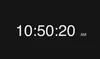
Experience a clean and modern full screen clock inspired by the iconic Mac clock screensaver design. This online full screen digital clock features large, easy-to-read numbers that look perfect on MacBooks, desktops, external monitors, and workspaces. Whether you need a minimalist clock for focus, productivity, studying, or aesthetic desk setups, this full screen clock creates the same elegant feel users love in macOS screensavers.
Customize your full screen Mac-style clock with light or dark themes, choose between 12-hour and 24-hour formats, and display or hide the AM/PM indicator for a distraction-free experience. Designed for modern screens, this online clock works beautifully as a Mac clock screensaver alternative for work, relaxation, streaming backgrounds, offices, classrooms, and home setups.
Key Features of the Full Screen Mac Clock
Our full screen clock combines a sleek Mac-inspired design with practical customization features, making it the perfect online clock screensaver for everyday use.
Minimal Mac-Style Design
Inspired by the clean aesthetic of Apple devices, this full screen digital clock delivers a modern, minimalist appearance that looks stunning on MacBooks, iMacs, Windows PCs, tablets, and large displays.
Light & Dark Color Themes
Switch between elegant light and dark themes to match your workspace, room lighting, or personal preference. The dark mode creates a premium Mac screensaver feel, while the light mode offers a clean and distraction-free display.
12-Hour & 24-Hour Time Formats
Choose the time format that works best for you. Display the clock in standard 12-hour format with AM/PM or switch to a professional 24-hour digital clock display for a modern desktop experience.
Optional AM/PM Indicator
Keep your clock interface simple and clean by hiding the AM/PM indicator, or enable it for easier readability. The flexible layout helps create the perfect minimalist clock screensaver setup.
Frequently Asked Questions About the Full Screen Clock
How do I open the Full Screen Clock?
Simply click the full screen option or use the menu icon to launch the clock in immersive full screen mode. The large digital display is optimized for desktops, laptops, monitors, TVs, and MacBook screens.
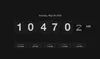
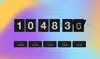
Besides the full screen clock, we also offer a flip clock with smooth flip-style animation, date display, and inspirational quotes for a more classic clock experience.
Does the Full Screen Clock work on MacBook and macOS?
Yes, the full screen clock works perfectly on MacBooks, iMacs, macOS devices, Windows PCs, and modern web browsers. It provides a Mac clock screensaver experience directly in your browser without requiring any installation.
Can I use this as a Mac clock screensaver?
Absolutely. Many users keep the clock running in full screen mode as a stylish Mac-inspired clock screensaver for desks, offices, studios, and streaming setups. Its clean design makes it ideal for aesthetic workspaces and productivity environments.
What customization options are available?
You can personalize the full screen clock by changing themes, selecting 12-hour or 24-hour formats, and choosing whether to show or hide the AM/PM indicator. These customization options help create a digital clock experience that matches your setup and style.
Why use a full screen clock screensaver?
A full screen clock screensaver helps you stay focused, track time easily from a distance, and create a clean, modern desktop environment. It is especially popular among Mac users who want a minimalist aesthetic similar to native macOS clock screensavers.