Online Analog Clock
Welcome to Online Analog Clock — a bold, browser-based analog clock designed to look great on any screen. Whether you're running it on a second monitor, a TV on the wall, a tablet, or a desktop display, the large clock face fills the screen with presence and clarity. No app to download, no account to create — just open it and it works.
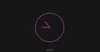
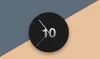
The clock shows 60 animated golden tick marks arranged in a circle, with taller marks at each of the 12 hour positions for easy reading. Three color-coded hands — a red second hand, an orange minute hand, and a golden hour hand — make the time readable from across the room. A glowing ripple effect on the center dot gives the clock a warm, living quality.
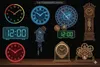
Use the settings button to switch between dark and light themes. Your choice is saved automatically so the clock always loads in your preferred style. For more clock styles, visit Flip Clock Online.
Why Use an Online Analog Clock?
A large clock displayed on a monitor, TV, or tablet is one of the most practical ambient additions to a home office, studio, or living space. Unlike phone clocks that require you to pick up a device, a large clock on a dedicated screen gives you an instant time check without breaking your focus or workflow.
This clock is especially useful for streamers and content creators who need a visible time source on a secondary display, for teachers who want a classroom clock on a projector, and for anyone building a productivity-focused desk setup. The fullscreen mode removes all distractions and lets the clock take center stage.
Features
- Large Analog Face: Big, bold clock designed to be read at a distance on monitors, TVs, and projectors.
- 60 Animated Tick Marks: Golden tick marks appear with a staggered jump animation on load and stay crisp at any size.
- Color-Coded Hands: Red second, orange minute, and golden hour hands make time easy to read at a glance.
- Glowing Center Ripple: A pulsing ripple on the center dot adds a subtle, lively ambient effect.
- Dark & Light Themes: Switch modes from the settings gear icon — preference is saved in your browser.
- Fullscreen Mode: One click expands the clock to fill your entire display for maximum visibility.
- Responsive Layout: Works perfectly on phones, tablets, laptops, ultrawide monitors, and smart TVs.
- No Install Required: Pure HTML, CSS, and vanilla JavaScript — runs instantly in any modern browser.
Frequently Asked Questions
Click the fullscreen icon in the top-right corner of the header bar. This expands the page to true fullscreen mode, removing all browser chrome. Press Escape or click the icon again to exit. This works on desktops, TVs connected via HDMI, and tablets.
Yes, that is one of the most popular uses. Open the page in a browser on the device connected to your TV or second monitor, press fullscreen, and you have a large clock that updates every second. It works on smart TVs with a browser, Chromecast, Fire Stick, and any device that can run a modern browser.
Click the gear icon in the top-right of the header. A small dropdown appears with Dark and Light options. Click your preference and the theme changes instantly. The setting is saved to your browser so it persists across visits.
Yes. Every second the clock reads the current time from your device using JavaScript's new Date(). The displayed time matches your system clock exactly and cannot drift, because it re-syncs on every tick rather than accumulating from a start value.
Yes. The clock scales down automatically on smaller screens. The analog face adjusts in size to fit the viewport, and all animations remain smooth. You can also add the page to your home screen for a quick-launch app-like experience.
The 12 taller tick marks correspond to the hour positions (12, 1, 2 … 11). The shorter marks represent the minute intervals between them. This mirrors the layout of a traditional wall clock and makes it easy to read the hour and minute values at a glance, even from a distance.